Ergonomics 101: The Complete UK Guide to Office Ergonomics
🎯 Key Takeaway
Effective office ergonomics involves designing a workspace to fit the user, which reduces physical strain and increases productivity and is crucial for meeting UK health and safety standards. This ergonomics 101 guide shows that by understanding the basics, you can create a safer, more efficient work environment. Key ergonomic principles include maintaining neutral postures (the 90-90-90 rule) and taking regular breaks (the 20-20-20 rule). Essential equipment for a healthy office setup includes an adjustable chair, a correctly positioned monitor, and an appropriate desk. Investing in office ergonomics reduces absenteeism and boosts productivity, offering a significant return for UK businesses and public sector organisations.
Work-related ill health costs the UK economy billions each year, with Musculoskeletal Disorders (MSDs), which are injuries affecting joints, nerves, and muscles, being a primary contributor. As of May 2026, data from the Health and Safety Executive continues to highlight the significant impact of poor workplace design. Effective office ergonomics is the most powerful, proactive solution to this widespread problem. It’s about creating a workspace that works for your people, not against them. With our 35+ years of experience, we’ve seen firsthand how smart, budget-conscious ergonomic choices can transform a workplace. This guide provides practical steps for UK managers to create healthy office setups, covering core principles, essential equipment, and common mistakes to avoid. To see how we can help, feel free to browse our full range of school and office furniture.
👤 Written by: Content Team
Reviewed by: Editorial Team, 35+ Years Experience; Rated Excellent On Trustpilot
Last updated: 21 May 2026
ℹ️ Transparency Disclosure: This article explores office ergonomics based on industry best practices and UK health and safety guidelines. For transparency, some links may connect to our specialised furniture services. All information is verified by our editorial team. Costcutters UK is a trusted supplier to schools, offices, and public sector organisations across the UK.
Understanding the Core Principles of Office Ergonomics
The core principle of office ergonomics is fitting the task to the person, not forcing the person to fit the task. It’s a science-based approach aimed at reducing discomfort and the risk of injury. At its heart, effective office ergonomics focuses on achieving a ‘neutral posture’ – a comfortable working position where your joints are naturally aligned, which minimises stress on the body.
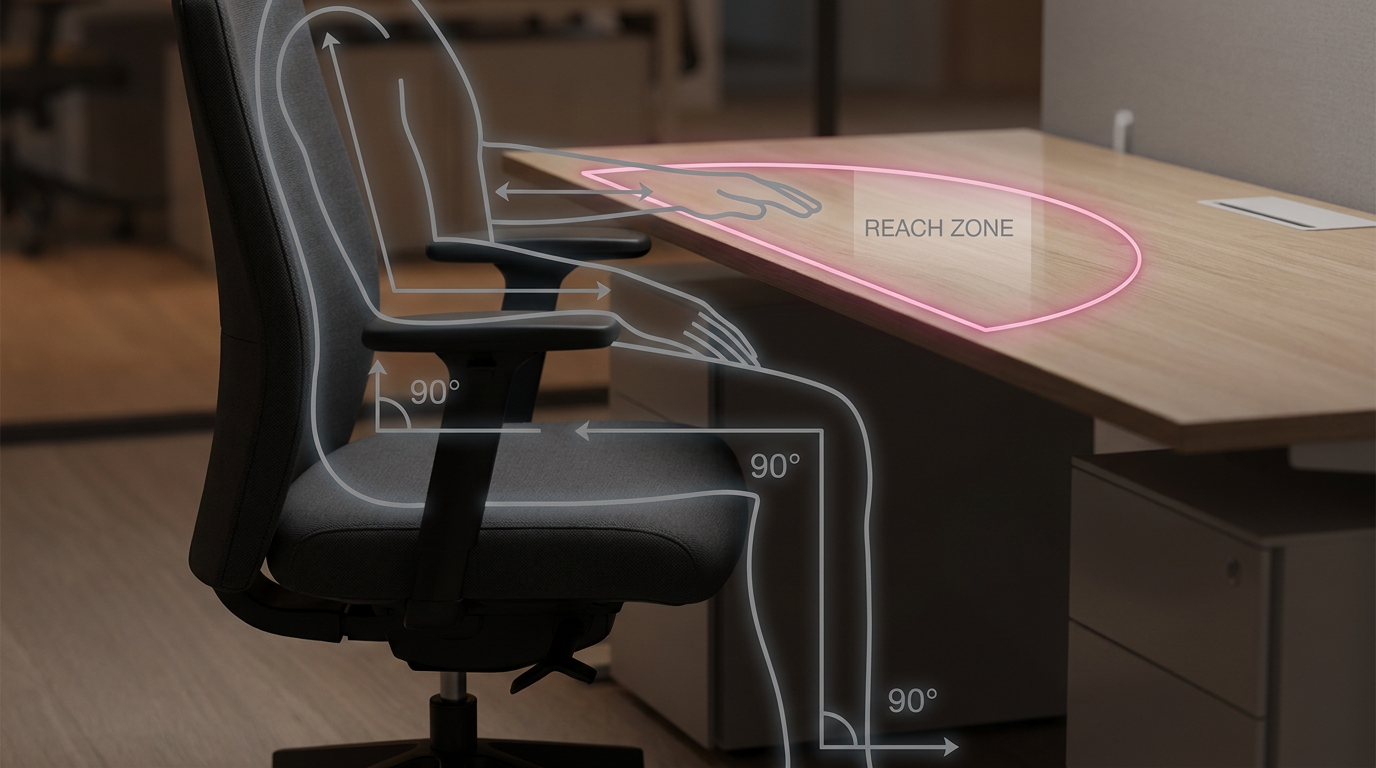
The basics of ergonomics can be distilled into a few key guidelines:
- The 90-90-90 Rule: A foundational guideline for seated posture. As described in a guide by Newtral Chair, this rule suggests aiming for 90-degree angles at your ankles, knees, and hips, with your feet flat on the floor. This creates a stable and supported base.
- The 20-20-20 Rule: To combat digital eye strain, this rule advises that every 20 minutes, you should take a 20-second break to look at something 20 feet away. This simple action helps your eye muscles relax.
- The Reach Zone: Your most frequently used items (keyboard, mouse) should be within easy arm’s reach without stretching. Less-used items can be placed further away.
These ergonomic principles aren’t just suggestions; they are fundamental to complying with the UK’s Health and Safety (Display Screen Equipment) Regulations 1992 (DSE Regulations). This legislation requires employers to perform a DSE workstation assessment and reduce identified risks, making good office ergonomics a legal necessity.
Your Ergonomic Toolkit: Choosing Cost-Effective Furniture for Healthy Office Setups
Your primary ergonomic toolkit consists of three core components: a chair, a desk, and a monitor support system. Our recommendation is to focus investment here, as these items provide the greatest impact on creating healthy office setups. An ergonomic workspace doesn’t have to be expensive; it’s about making intelligent choices that provide long-term value.
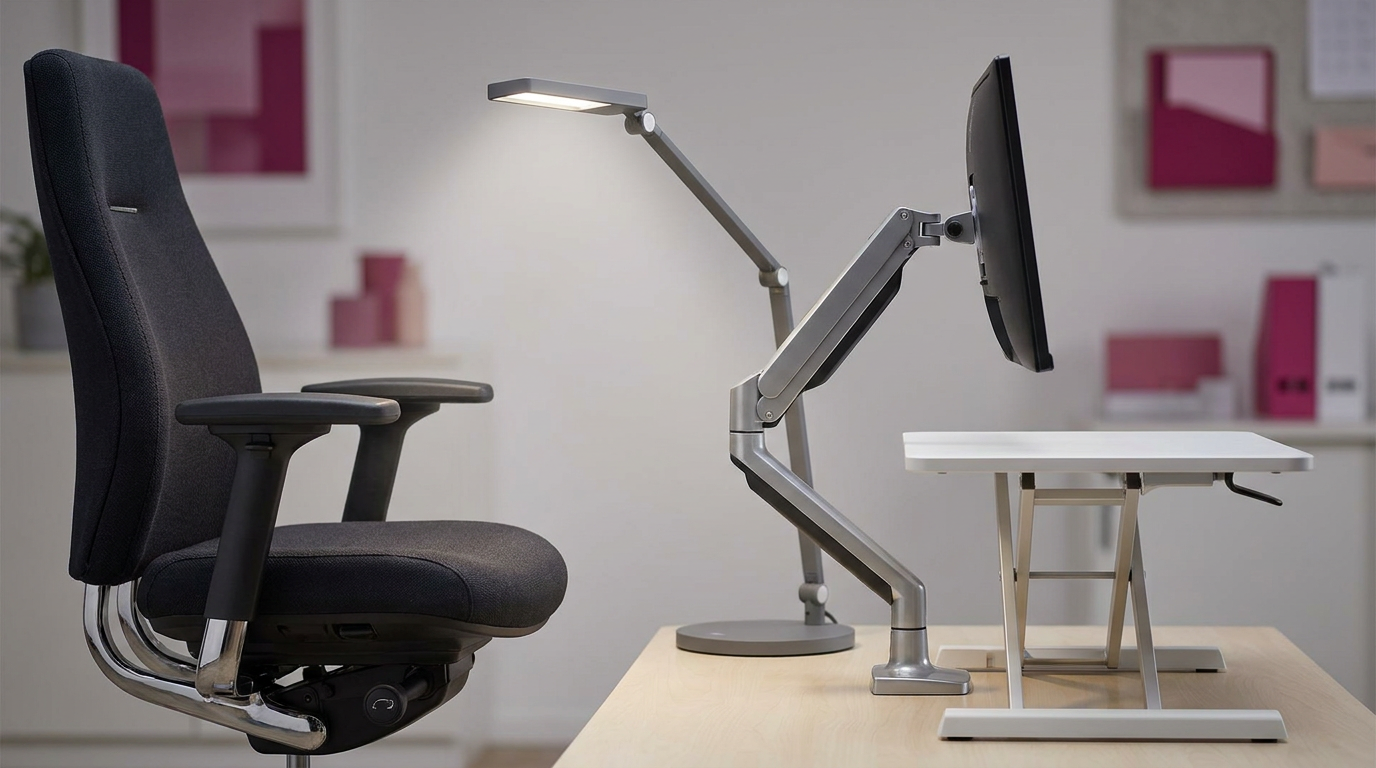
First, the ergonomic office chair is the foundation. According to a guide from Sihoo Office UK, key features to look for include adjustable seat height, backrest angle, and robust lumbar support. These allow each user to tailor the chair to their specific body shape, which is a core requirement of the DSE Regulations.
Second is the desk. While a standard fixed-height desk is adequate if paired with a good chair, an adjustable standing desk offers the most benefit. It allows users to alternate between sitting and standing, promoting movement and reducing the health risks associated with a sedentary workday.
Finally, monitor arms or stands are a cost-effective upgrade. They enable precise control over screen height and distance, which is crucial for preventing neck strain. Plus, they free up valuable desk space. For larger fit-outs, we offer Bulk Buy Discounts, making it affordable to equip your entire team correctly from the start.
| Ergonomic Feature | What It Does | Why It’s Important for UK DSE Compliance |
|---|---|---|
| Adjustable Seat Height | Allows the user to place their feet flat on the floor with knees at a ~90-degree angle. | Ensures the user can achieve a stable and suitable posture, a key requirement of the DSE regulations. |
| Adjustable Lumbar Support | Fills the natural inward curve of the lower back (lordosis) to prevent slouching. | Provides adequate back support, which is explicitly mentioned in the DSE schedule for workstations. |
| Adjustable Back Tilt | Enables the user to change their back angle, promoting dynamic sitting and reducing pressure. | Supports changes in posture, helping to avoid fatigue and discomfort during the workday. |
| Adjustable Monitor Height | Positions the top of the screen at or just below the user’s eye level. | Prevents neck and shoulder strain from looking up or down, a common risk identified in DSE assessments. |
A Practical Checklist for Setting Up Your Ergonomic Workspace
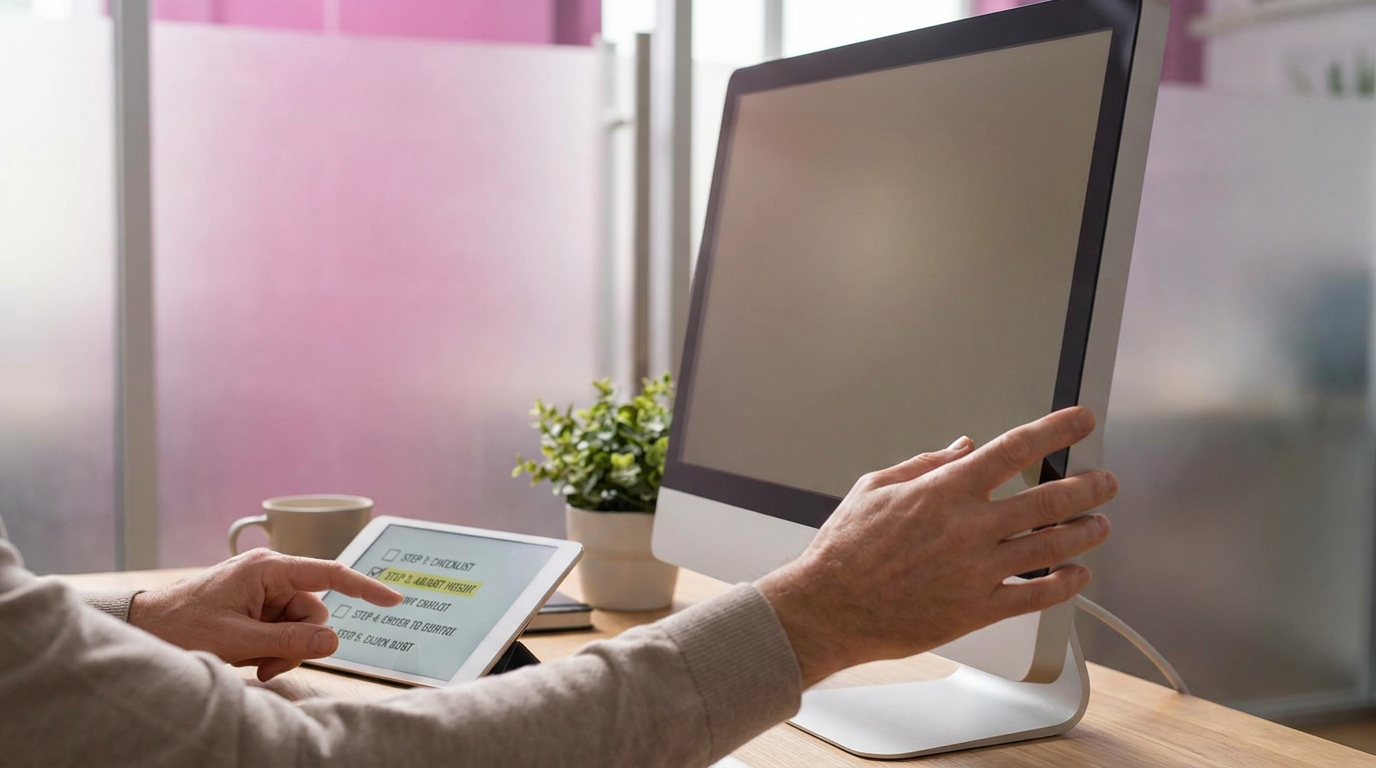
Setting up an ergonomic workspace correctly is a straightforward process when done step-by-step. A proper setup ensures that the ergonomic principles are put into practice, directly benefiting user health and productivity. Use this checklist as your guide, starting with the chair as your foundation.
- Adjust Your Chair:
- Seat Height: Sit down and adjust the height until your feet are flat on the floor and your knees are roughly level with your hips.
- Seat Depth: Ensure you can fit two to three fingers between the back of your knees and the edge of the seat.
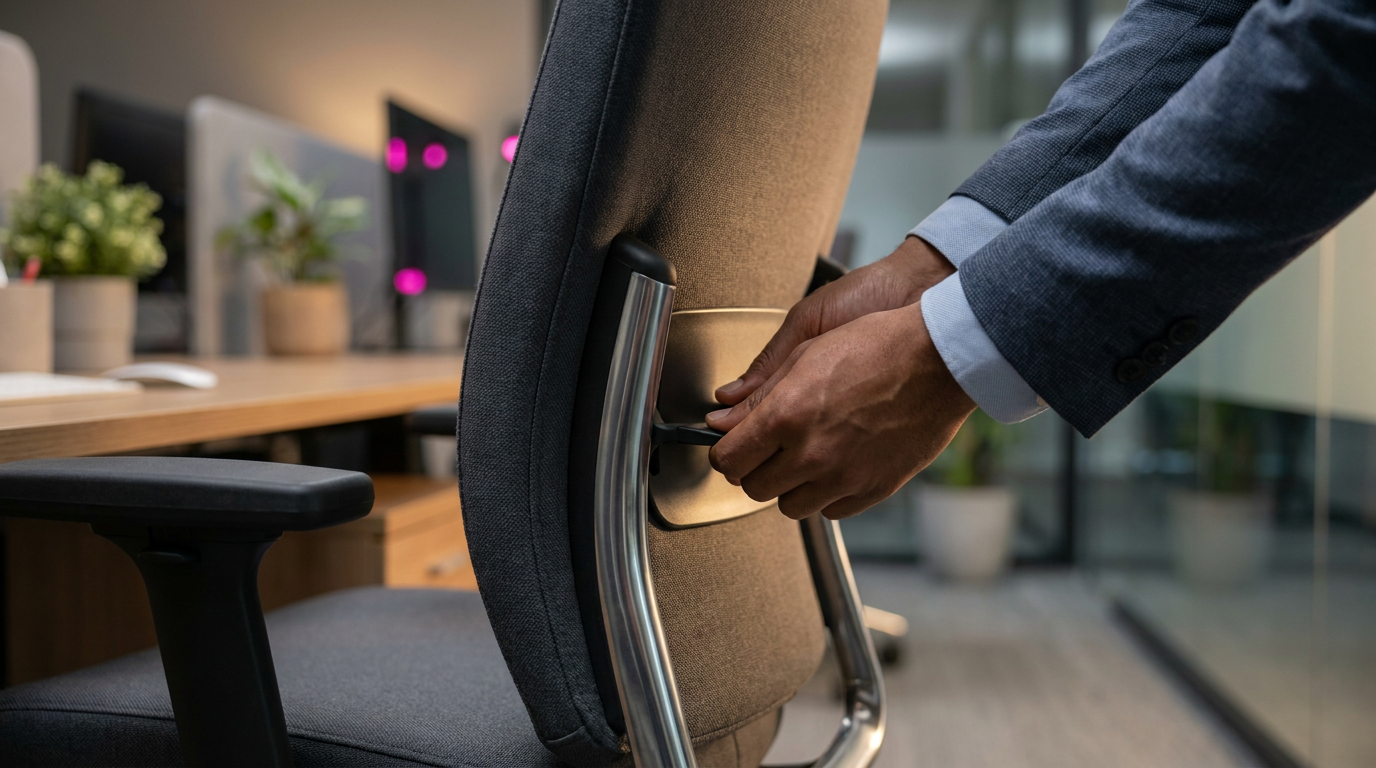
- Backrest & Lumbar Support: Adjust the backrest so it supports the natural curve of your lower back. You shouldn’t feel a gap or excessive pressure.
- Armrests: Position the armrests so your shoulders are relaxed and your elbows can rest at a 90-degree angle.
- Position Your Monitor:
- Height: The top of your monitor screen should be at or slightly below eye level. You shouldn’t have to tilt your head up or down to see it. Use a monitor stand or arm if needed.
- Distance: Place the monitor about an arm’s length away. You should be able to read the text comfortably without leaning forward.
- Arrange Your Keyboard and Mouse:
- Position: Keep your keyboard and mouse close together and directly in front of you.
- Elbow Angle: When typing, your elbows should remain at a 90-degree angle, close to your body. Avoid reaching for the mouse.
A Note on Cable Management
A tidy workspace is a safe workspace. Use cable ties or trays to keep wires organised and out of the way. This prevents trip hazards and makes it easier to clean and adjust your equipment, contributing to a better overall healthy office setup.
Avoiding Common Ergonomic Mistakes and Unhealthy Positions
Even with the right equipment, poor habits can undermine the benefits of an ergonomic setup. Avoiding these common ergonomic mistakes is crucial for office back pain prevention and long-term health. The most frequent error we see is users failing to adjust their equipment to fit their bodies.
Here are some of the most common ergonomic mistakes and how to correct them:
- Perching on the Seat’s Edge: This removes all back support and puts immense pressure on the spine. Correction: Adjust your seat depth so you can sit back fully, allowing the chair’s lumbar support to do its job.
- Monitor Too High or Too Low: Looking up or down for hours strains the neck muscles. As the Health and Safety Executive (HSE) guidance on DSE notes, the screen should be stable and readable. Correction: Adjust your monitor so the top of the screen is at or just below eye level.
- Reaching for the Mouse: Placing the mouse too far away is associated with shoulder and wrist strain. Correction: Keep your mouse close to your keyboard so you can use it with a relaxed arm and neutral wrist.
- Cradling a Phone: Pinning a phone between your ear and shoulder is a direct route to neck pain. Correction: Use a headset or speakerphone for calls lasting more than a couple of minutes.
- Slouching or Hunching: This unhealthy sitting position flattens the natural curve of your spine. Correction: Sit back in your chair, engage the lumbar support, and ensure your feet are flat on the floor to maintain a supported, upright posture.
The Business Case for Office Ergonomics in the UK
Investing in office ergonomics is not an expense; it’s a strategic investment in your organisation’s most valuable asset: its people. For managers and procurement officers, the return on investment (ROI) is clear and quantifiable. Poor ergonomics directly leads to increased absenteeism due to MSDs, reduced productivity from staff discomfort, and lower morale. Research consistently shows a link between physical comfort and cognitive performance.
Conversely, a well-designed ergonomic environment yields significant benefits. It directly reduces the number of sick days taken for back, neck, and shoulder pain. It boosts employee focus and output because staff are comfortable, not distracted by pain. This also leads to higher staff retention, as employees feel valued and cared for. Also, proactive implementation of office ergonomics ensures compliance with DSE regulations, mitigating the risk of legal challenges and workplace injury claims.
At Cost Cutters UK, we understand the procurement challenges faced by businesses and public sector bodies. That’s why we combine our expertise with flexible service. We are proud of our official accreditations, which demonstrate our commitment to quality and service. We offer Credit Accounts Or Pay Flexibly options to make these essential investments manageable for any budget. Our goal is to be your partner in building a healthier and more productive workforce.
Case Study: A Hypothetical SME Scenario
- Challenge: A UK-based digital marketing agency with 60 employees was experiencing an average of 4 sick days per employee per year related to back and neck pain, costing an estimated £38,000 annually in lost productivity and sick pay. Staff morale was low, and complaints about uncomfortable chairs were frequent.
- Solution: The agency partnered with a supplier for a full DSE assessment. Based on the findings, they invested £18,000 in fully adjustable ergonomic chairs and dual monitor arms for all staff. They also held a 30-minute training session on proper workstation setup.
- Results: In the 12 months following the investment, MSD-related sick days fell by 70%. This resulted in an estimated productivity saving of £26,600. The initial investment was recouped within 9 months, and employee satisfaction surveys noted a 45% improvement in workplace comfort.
- Key Insight: Combining the right equipment with simple, practical training empowers employees to take ownership of their own ergonomic setup, maximising the investment’s impact.
Important Considerations
This guide provides general principles for office ergonomics. However, individual needs can vary significantly based on body size, pre-existing health conditions, or specific job tasks. The effectiveness of these recommendations depends on correct implementation and consistent use by the individual.
While this guide focuses on traditional desk setups, modern workplaces often include alternative approaches. These can include dynamic spaces with ergonomic breakout furniture, activity-based working zones, and different seating like kneeling chairs. These can be excellent additions to a comprehensive ergonomic programme but may require different setup considerations. They aren’t a one-size-fits-all replacement for a quality ergonomic chair at a primary workstation.
For organisations with complex needs, staff with diagnosed musculoskeletal conditions, or to ensure full legal compliance with DSE regulations, we recommend a professional ergonomic assessment. A qualified assessor can provide tailored recommendations for individuals and help design a workspace that meets both health and productivity goals. We can help facilitate these assessments as part of our ‘Design To Install We Do It All!’ service, Saving Time & Stress.
Frequently Asked Questions About Office Ergonomics
What is office ergonomics?
Office ergonomics is the science of designing a workspace and its equipment to fit the employee, not the other way around. Its primary goals are to increase comfort, boost productivity, and reduce the risk of musculoskeletal injuries like back pain or carpal tunnel syndrome. It is a fundamental part of an employer’s duty of care under UK health and safety law.
What are the basics of ergonomics?
The basics of ergonomics centre on achieving a neutral body posture to minimise stress on muscles and joints. This involves adjusting your chair, desk, and monitor to keep your feet flat on the floor, your knees at a roughly 90-degree angle, your back supported, and your screen at eye level. This foundation helps prevent long-term strain and discomfort.
What are the 5 points of ergonomics?
The ‘5 points of contact’ is a classic model for achieving a stable posture in your chair. It refers to having both feet flat on the floor, your lower back pressed against the backrest, and both forearms/wrists resting comfortably on your desk or armrests. These five points create a supported and grounded position, though modern office ergonomics also heavily emphasises movement and adjustability.
What is the 90-90-90 rule in ergonomics?
The 90-90-90 rule is a simple guideline for achieving a neutral seated posture by aiming for 90-degree angles at your ankles, knees, and hips. This helps to distribute weight evenly and reduce strain on your joints. While it’s an excellent starting point, remember that small variations in posture and regular movement throughout the day are just as important for overall health.
What is the 20-20-20 rule in ergonomics?
The 20-20-20 rule is a method for preventing digital eye strain during long periods of screen work. The advice is to take a 20-second break every 20 minutes to look at something that is at least 20 feet away. This simple practice allows your eye muscles to relax, helping to prevent symptoms like headaches, dry eyes, and blurred vision.
What are common ergonomic mistakes?
The most common ergonomic mistakes include sitting hunched forward, positioning the monitor too low or high, and consistently reaching for the mouse. Other frequent errors are using a chair without proper lumbar support or failing to adjust it correctly for your body. These seemingly small habits are a leading cause of chronic office-related pain and can be corrected with a proper workstation setup.
What is the most unhealthy sitting position?
The most unhealthy sitting position is any single static posture that is held for too long. However, slouching or hunching forward is particularly damaging because it puts significant strain on your spinal discs and overstretches neck and back muscles. Perching on the edge of your seat is also harmful as it removes all back support. The key is to vary your posture frequently.
What chair is good for fibromyalgia?
A chair that is good for fibromyalgia should offer extensive adjustability and gentle support to minimise pressure points. We recommend looking for features such as a well-cushioned seat, highly adjustable lumbar support to match the user’s back curve, and 4D armrests to reduce shoulder strain. A chair with a synchronised tilt mechanism can also help to vary posture and relieve discomfort.
How do I ensure my home office is ergonomic?
You can ensure your home office is ergonomic by applying the same principles as a corporate setting. If possible, use an adjustable chair and position your monitor at eye level using a stand or a stack of books. Keep your keyboard and mouse close to your body to avoid reaching. Regular movement breaks are even more critical at home. We advise that a formal DSE assessment is still best practice.
Is a standing desk better than an ergonomic chair?
Neither is inherently ‘better’; the effective solution is a combination of both that encourages movement. An adjustable sit-stand desk allows you to vary your posture between sitting and standing, which is the healthiest approach for any office worker. A good ergonomic chair remains essential for providing proper support during the periods you are sitting. The ultimate goal is movement, not just swapping one static posture for another.
Conclusion
Implementing effective office ergonomics is one of the most impactful investments an organisation can make in its people and its performance. By applying core ergonomic principles, choosing the right equipment, and avoiding common mistakes, you can create a work environment that reduces health risks, complies with UK regulations, and fosters productivity. This proactive approach moves beyond simply fixing problems to building a foundation for long-term staff well-being.
With over 35 years of experience supplying furniture to UK schools, offices, and public sector bodies, Costcutters UK is more than just a supplier; we are your partner in creating optimal work environments. Our Rated Excellent On Trustpilot status reflects our commitment to service. From a single chair to a complete office fit-out, our experts can guide you. Book a Free Space Planning Consultation today to discuss your organisation’s needs and discover how we can help you achieve your ergonomic goals within your budget.
References
- Health and Safety Executive (HSE) – Government Guidance. Provides the official UK legal framework and employer responsibilities for Display Screen Equipment (DSE) workstations.
- Chartered Institute of Ergonomics and Human Factors (CIEHF) – Professional Body Publication. Offers professional standards and resources on a wide range of ergonomic topics, including office and remote work.
- FlexiSpot Spine Care Center – Industry Article. Outlines seven core principles of good ergonomics, including maintaining neutral posture and reducing excessive force.
- Sihoo Office UK – Commercial Guide. A complete guide to office seating ergonomics, detailing key features of an ergonomic chair.
- Newtral Chair – Commercial Guide. Provides a simple guide to the 90-90-90 sitting rule for proper posture.
- A1 Office Furniture – Blog Post. An article discussing how to design a pain-free workspace using ergonomic principles.